
Your phone buzzes: “Delivered.” Great—except you’re at work, the kids need to be picked up, and that gift you ordered is sitting in plain view by the front door. Now you’re texting a neighbor or wondering whether it will still be there when you get home.
It’s a familiar holiday-season juggling act, and in Knoxville, the concern isn’t just hypothetical. In a December 2025 report from WVLT, Knoxville police said they received 22 reports of packages stolen from porches during October and November.
You shouldn’t have to plan your entire day around a delivery notification. A few practical pickup habits, paired with a properly configured doorbell camera, can help you keep tabs on your front door and reduce the time packages sit unattended. No camera can guarantee protection from a porch pirate, but it can give you a better chance to act—and useful footage if something goes wrong.
Start With a Plan for Package Pickup
The most direct way to protect a delivery is to limit how long it remains unattended.
The U.S. Postal Inspection Service’s package-theft guidance recommends collecting packages promptly, arranging pickup when you cannot be home, and considering Hold for Pickup or signature confirmation.
Build your holiday delivery plan around these habits:
- Track shipments so you know when to expect them.
- Check whether your carrier offers pickup locations, delivery instructions, or signature-required delivery for that shipment.
- Ask a trusted neighbor to collect packages when you are away.
- Request an accessible drop-off location out of street view, when the carrier allows it.
- Consider a lockable package box, and confirm that drivers can use it.
- Arrange a mail hold or another collection plan before traveling.
Availability varies by carrier and shipment. Check the options for each order rather than assuming one delivery preference applies to every package.
What a Doorbell Camera Can (and Cannot) Do
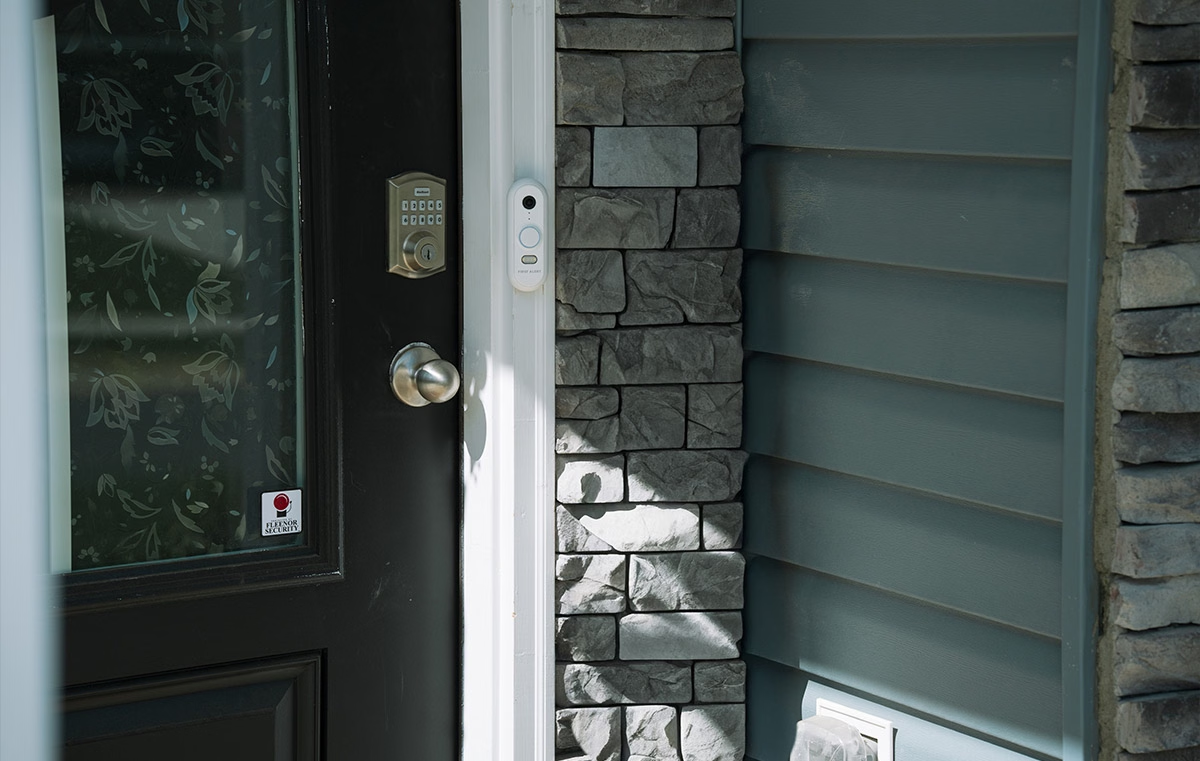
A doorbell camera adds visibility at your entrance. Depending on the model, settings, and service plan, it may offer:
- Motion notifications when activity occurs near the door
- Live video so you can check the entrance remotely
- Two-way audio for speaking with visitors or delivery drivers
- Recorded clips that may help document a delivery or theft
A motion alert does not necessarily mean a package has arrived. Package-specific detection is a separate feature available on some devices.
An alert can help you act sooner, for example, by asking a neighbor to collect a delivery. However, the camera itself doesn’t shorten how long a package sits outside. Someone still needs to retrieve it.
Likewise, recordings help only if the camera captures the event and the footage stays available. Check your recording settings and retention periods before you need a clip.
Position Cameras for Useful Coverage
Start where drivers actually leave packages. A camera aimed at a visitor’s face may not show the ground immediately below it.
Before the holiday rush:
- Test whether the view includes the package-drop location and approach.
- Adjust supported motion zones to cover relevant activity.
- Check daytime and nighttime footage.
- Look for glare, decorations, or other obstructions.
- Confirm notification settings and how to save recordings.
An additional camera may help cover a driveway, walkway, or secondary entrance. Choose placement based on what you need to see rather than assuming a particular location will always capture a face or vehicle.
Use Compatible Smart Security to Stay Connected
In this article, we explain how compatible video devices can work alongside a broader security system.
With supported equipment and services, Total Connect 2.0, a cloud-based security and smart home automation platform, can provide access to system status, live video, and activity in one app. Compatible lighting controls may also let you operate exterior lights remotely.
Ask which features your equipment supports. Camera integration, recording, notifications, and lighting control depend on the devices and service configuration. A doorbell camera adds awareness, but it doesn’t guarantee protection against theft.
What to Do if a Package Appears Stolen
First, check tracking information, the delivery photo if available, other drop-off locations, and whether someone in your household collected it.
If you believe it was stolen:
- Save relevant footage and delivery records.
- Report the theft to local law enforcement through its non-emergency reporting process.
- Contact the retailer about its replacement or refund policy.
- Ask the carrier about an investigation and any claim requirements.
- Report theft involving USPS mail to the U.S. Postal Inspection Service.
Replacement and claim approval are not guaranteed. Do not confront a suspected thief; let law enforcement handle the investigation.
Make Delivery Notifications Less of a Guessing Game
“Delivered” should mean your order has arrived, safe and secure, not that you need to rush home. Start with a plan for getting packages inside, then consider whether a doorbell camera could help you keep an eye on the front door.
If you’re not sure what would work with your current setup, schedule a free home security evaluation. Fleenor can review camera placement, explain compatible options, and walk you through equipment, installation, and service costs.
Call to talk through your front-door concerns and find the right fit:
Knoxville: (865) 544-9964 | Johnson City: (423) 282-3755